Monitoring dashboard
Live flow, system status, and recent savings in the same customer view.
Free cross-brand monitoring and diagnostics for supported Australian solar and battery systems. GoodWe and Deye-linked monitoring is live on connected setups. Tesla, Enphase, Alpha ESS, Sungrow, Fronius, and SMA remain beta monitoring paths. Kolvera Optimise is the next paid layer on supported systems. It is not live today.
No credit card · No hardware · Free monitoring
Illustrative dashboard preview
$4.20
Saved today
18.4 kWh
Solar today
78% · 9.2h
Battery
Solar peaking at 3.4 kW — perfect for dishwasher
Using it now is free. Tonight costs 42.8c/kWh.
Estimated bill this period
$87
vs $281 without solar
Saving
$194
this period
Live offer
Free monitoring
Monitoring and diagnostics are the default customer product today.
Access model
Read-only first
Customer-facing setup is monitoring-first and does not require new hardware.
Provider story
Status-labelled
Supported systems are shown as live, beta, lab, or planned instead of blurred together.
Upgrade boundary
Paid layers are opt-in
Premium optimisation and trading stay separate from the free monitoring promise.
Manufacturer apps often leave important questions unanswered. Kolvera is designed to address them.
"My app shows I produced heaps but my bill is still massive."
Bill reconciliation in plain English — estimate how solar affected your electricity bill.
"I have no idea if my system is actually working properly."
Freshness-aware system status and alerts when current provider data indicates a problem.
"I don't know the best time to run the dishwasher."
Daily appliance timing recommendations based on your solar forecast and tariff structure.
"My feed-in rate dropped again and I don't know if I'm on the right plan."
Feed-in tariff tracker, history, and plan comparison to find you a better deal.
"I can't tell if my battery is degrading faster than it should."
Battery health score, cycle count, degradation chart vs expected curve, and warranty tracker.
"Notifications never work — my system went offline for a week and I had no idea."
Reliable alerts for system offline, grid outage, production drops, and low battery.
Six features that manufacturer apps either can't do, won't do, or charge you extra for.
Values shown below are illustrative; connected results depend on current provider data and your tariff settings.
See exactly where your solar energy is going — into your home, charging your battery, or exporting to the grid — with current kW values typically refreshed about every 5 minutes when provider data is current. Solar, battery, home, and grid: all visible in one glanceable view.
3.4 kW
Solar
1.2 kW
Home
2.1 kW ↑
Battery
0 kW
Grid
Illustrative bill breakdown
Without solar: $281. Illustrative saving: $211.
The #1 frustration for solar owners: the app shows one number, the bill shows another. Kolvera breaks your bill down line by line — peak import, off-peak import, feed-in credits, supply charge — in plain English. No surprises.
Every day, Kolvera tells you the best windows to run high-energy appliances based on your solar forecast and tariff structure. Not in kWh. In plain language. Right now, today.
Best: dishwasher, washing machine, EV charging
OK for low-draw appliances
Avoid: let battery cover home load
Battery Health: Excellent
2.1% degradation · 487 cycles
Well within warranty
Original capacity
13.5 kWh
Current capacity
13.2 kWh
Warranty cycles
6,000 (LFP)
Cycles used
487 (8%)
Manufacturer apps rarely show degradation data. Kolvera tracks state-of-health percentage, cycle count against warranty allowance, and plots your actual degradation against the expected curve — so you'll know if you have a warranty claim before your installer does.
Most homeowners don't know this number. Kolvera calculates it daily and updates it every time your FiT rate changes, your usage shifts, or electricity prices move.
Illustrative payback example
Total saved since install
$4,230
System cost
$8,200
Break-even
Mar 2028
Kolvera is built around Australian electricity tariffs. Enter your plan and Kolvera uses those settings to estimate peak, shoulder, and off-peak costs and, for supported Ausgrid plans, whether the solar export charge is active.
Real-time tariff indicator
"Off-peak until 3:00 PM — 14.6c/kWh import, 6.0c/kWh export"
The "suntax" detector
Did you know Ausgrid charges 1.2c/kWh for daytime exports (10am–3pm)? We track it.
Feed-in tariff history
See how your FiT has changed and how each drop extended your payback timeline.
Plan comparison alerts
We'll alert you when a better plan is available in your area.
Illustrative example rates — your actual rates depend on retailer, plan, and network. Kolvera lets you enter your exact plan.
Create your free account, connect a supported system, and start monitoring. Connection steps vary by provider.
Sign up with your email. Tell us which system you have. Takes 60 seconds.
Connect your system via the manufacturer's secure login. Read-only — we can't change any settings.
Your monitoring dashboard is ready as soon as provider data starts arriving. Bill estimate, health score, appliance timing, alerts.
Kolvera works with the solar and battery systems you already own. No new hardware. No switching manufacturers.
Deye + PYTES
SUN-12K + LFP
GoodWe
SEMS Portal
Tesla
Powerwall 2, 3, +
Enphase
IQ Battery 5P, 10T
Alpha ESS
SMILE Series
Sungrow
SH-RS, SH-RT, SG series
Fronius
GEN24, Primo, Symo, Galvo
SMA
Sunny Portal / ennexOS
Solarman
SOLARMAN cloud
Sigenergy
Sigenergy Cloud
sonnen
sonnenBatterie
LG
RESU Prime
BYD
Battery-Box
GoodWe and Deye-linked monitoring is live on connected setups.
Tesla, Enphase, Alpha ESS, Sungrow, Fronius, and SMA remain beta monitoring paths.
Solarman and Sigenergy stay in lab validation until scorecards and operator checks support wider claims.
sonnen, LG, and BYD remain planned provider coverage.
Don't see yours? Let us know and we'll log your request and confirm what coverage is available.
Product proof
The proof layer uses captured product screens, customer-visible outcomes, support escalation clarity, and status-labelled provider logos. It stays anchored to monitoring and diagnostics.
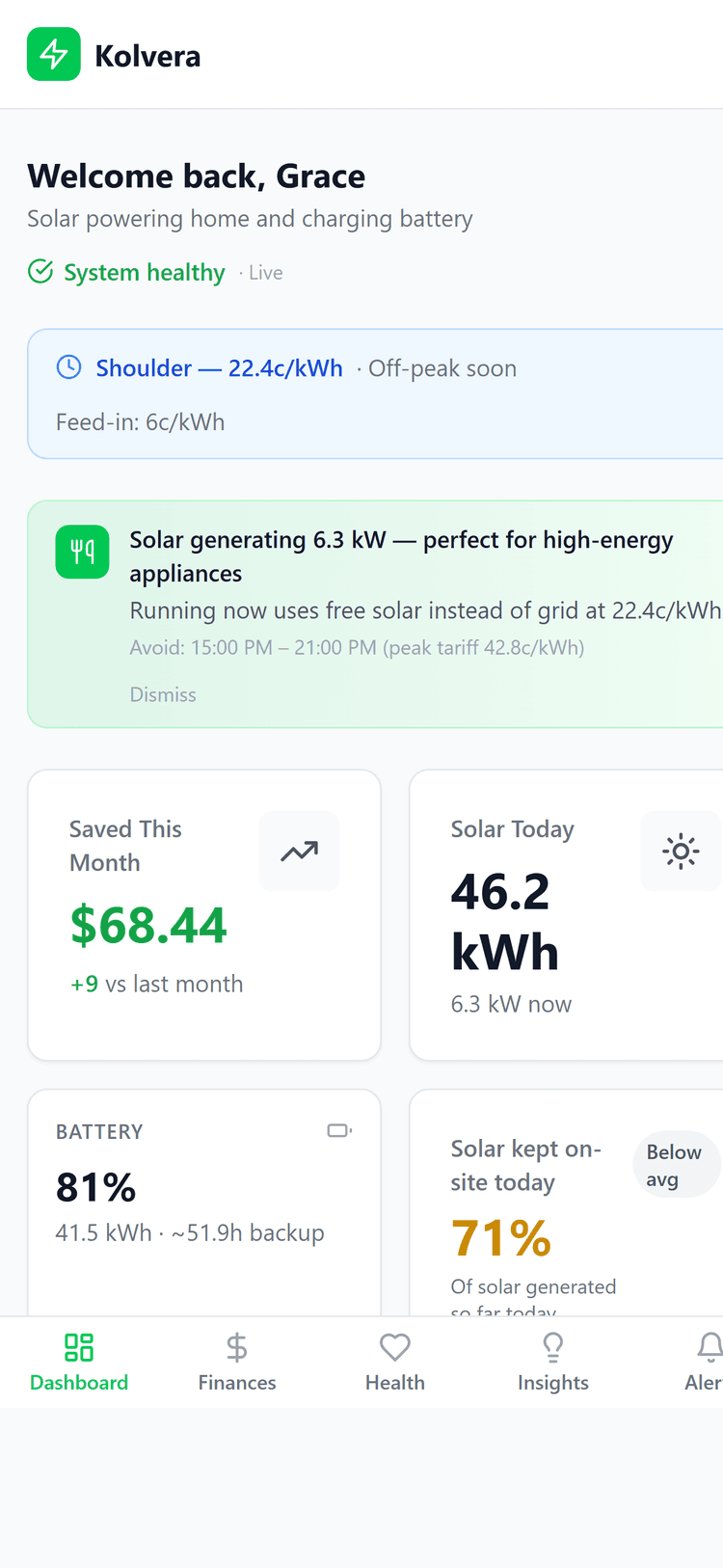
Live flow, system status, and recent savings in the same customer view.
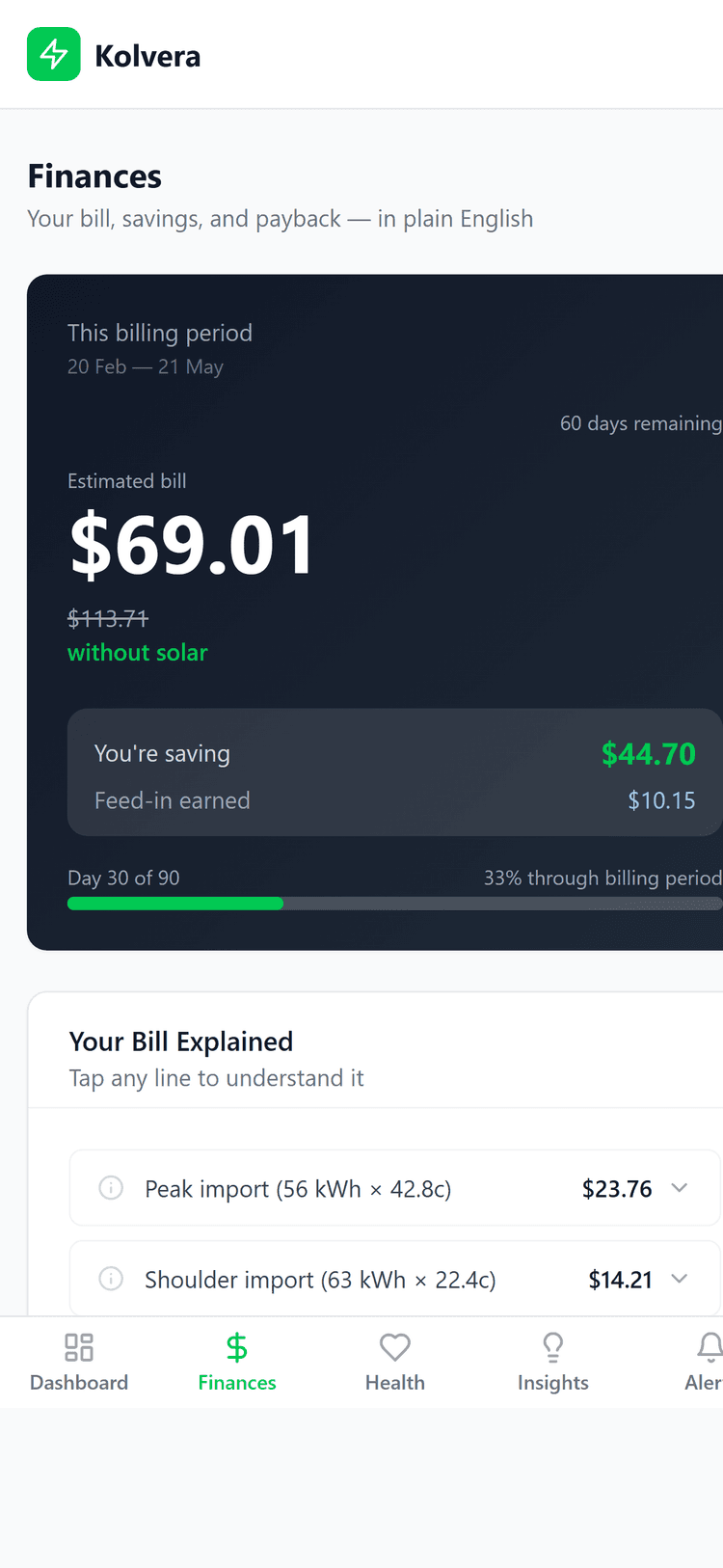
Bill estimates, tariff context, rebate checks, and battery fit guidance.
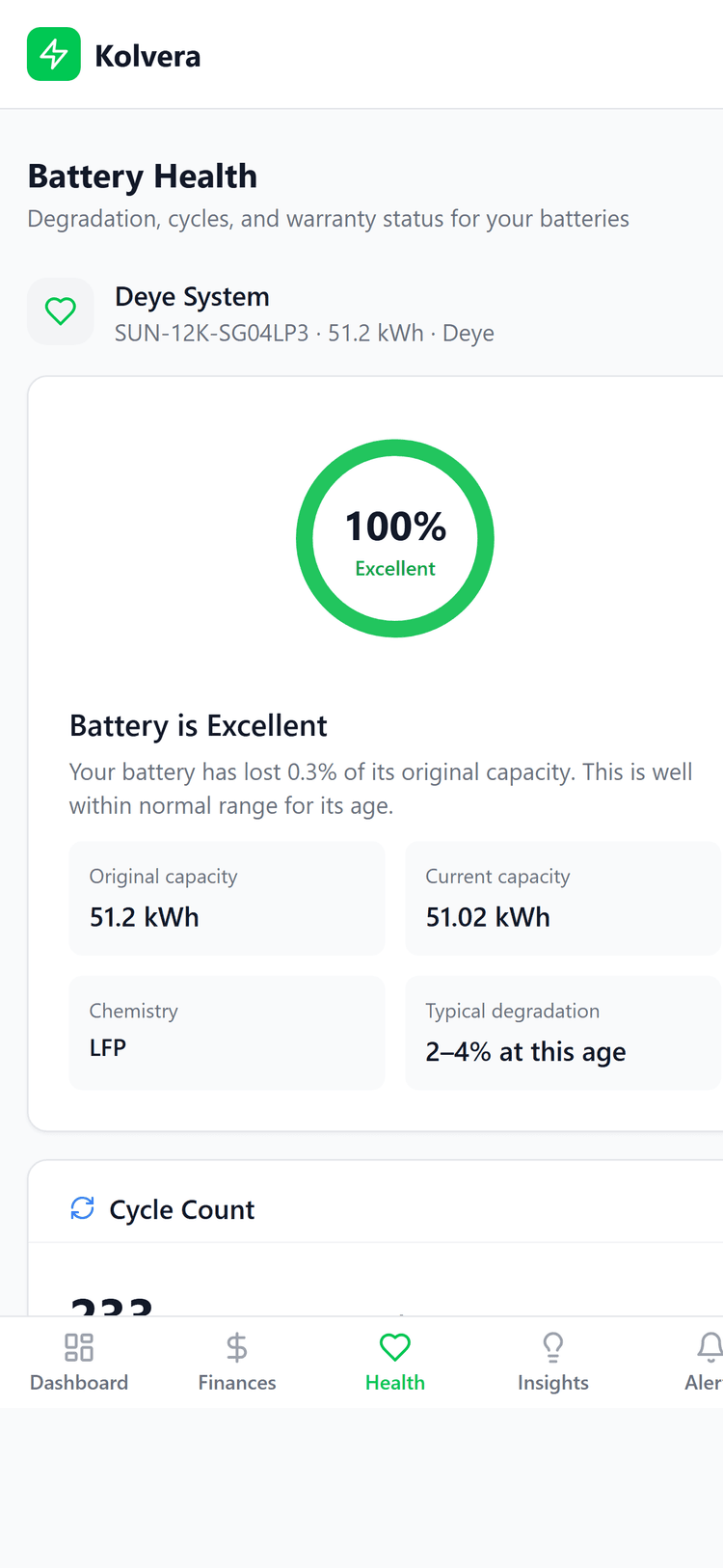
Provider freshness, battery state, and customer-safe setup actions.
What the monitoring product can show today
Savings
Recent bill value
Customers can see monitored avoided grid use and feed-in value without trading claims.
Readiness
Battery fit check
Eligibility, ROI, rebates, and setup gaps are shown before a paid upgrade is promoted.
Health
Freshness and faults
Provider data quality, stale feeds, and continuity gaps are surfaced for support follow-up.
How issues move from signal to action
Detect
Kolvera flags stale, frozen, missing, or continuity-gapped telemetry from supported systems.
Gather context
Support asks for provider brand, screenshots, timestamps, and whether the OEM app is working.
Escalate clearly
The support path keeps customer language separate from operator-only provider diagnostics.
Logos are status-labelled instead of implying universal coverage.

GoodWe
Live monitoring

Deye
Live linked systems
Tesla
Beta monitoring

Enphase
Beta monitoring

Sungrow
Beta monitoring

Fronius
Beta monitoring
Simple for the set-and-forget majority. Deep for the prosumers who want everything.
Raw data export
CSV export of all interval data — for your own analysis.
Wholesale price alerts
Alert when NEM spot price exceeds your threshold. For Amber Electric users.
Home Assistant ready
API access for Home Assistant and other automation platforms.
Amber Electric integration
Overlay wholesale spot price on your energy flow data.
Clear pricing boundary
Monitoring is free today. Premium optimisation is planned as the first paid homeowner tier. Managed programmes stay future opt-in work until the evidence, billing, and operations are ready.
A$0
Connect a supported solar or battery system and monitor live flow, savings, health, alerts, and bills.
Not live yet
The intended first paid homeowner upgrade is separate from free monitoring and needs explicit opt-in.
Separate terms
Managed participation remains future gated work and is not part of the free monitoring product.
Where it can lead
Connected households will be best placed for any future planned Kolvera optimisation, managed-participation, or market-access layers if and when they launch. Separate opt-in, no extra hardware, and backup settings stay protected.
Create your account to get startedCreate your account, connect your solar or battery system, and see what your energy is really doing. Connection time varies by provider. Free monitoring.
Free
monitoring
Works
with existing hardware
Zero
upfront cost